Coach
Timeline
Aug 2024 - Present
Role
Lead Product Designer
Tools
Figma, Magic Patterns, Lovable, Claude API, Vercel
Outcome
From guesswork to a system beginners trust
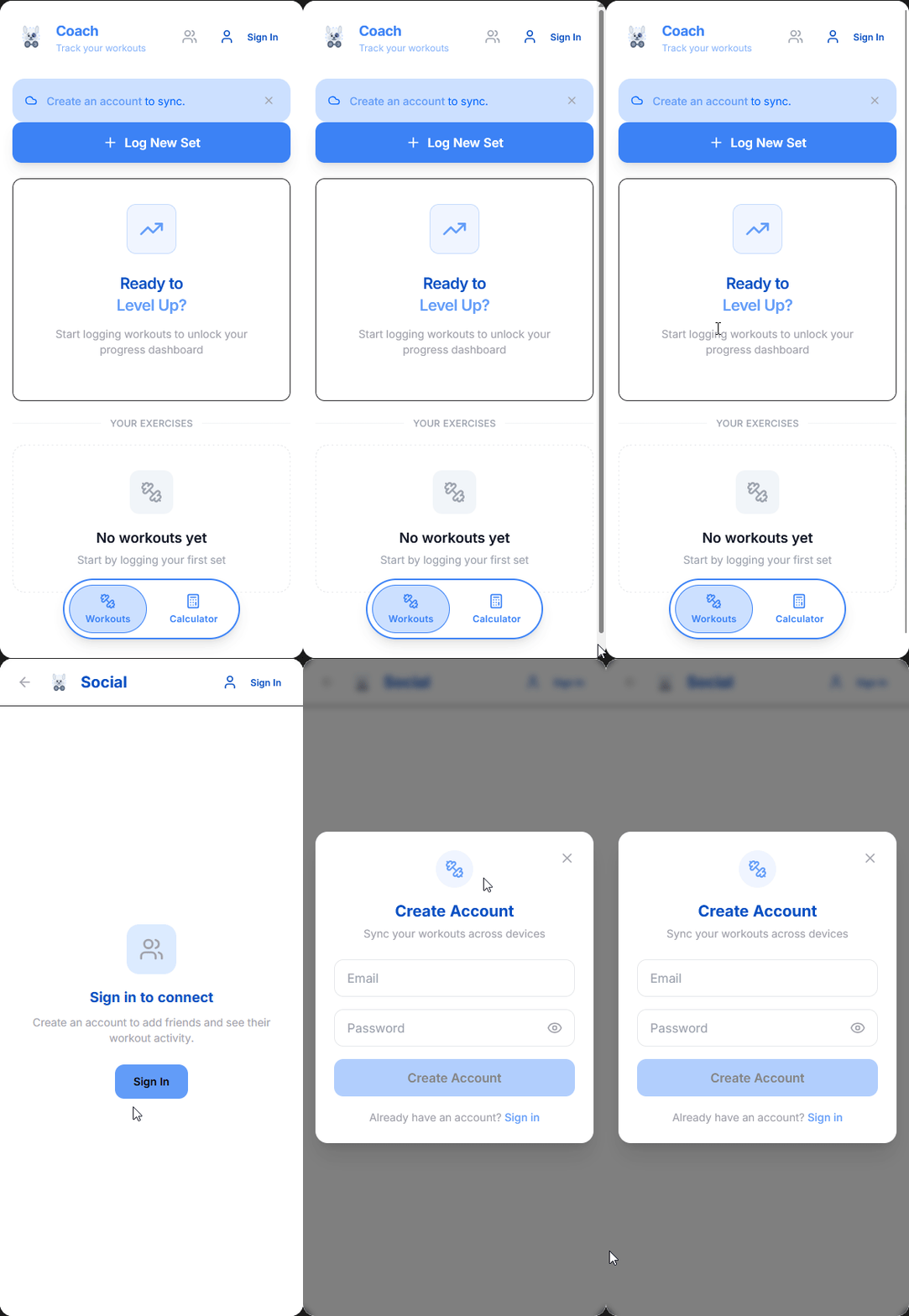
Coach shipped with four core features: workout logging, a warm-up calculator, a progression calculator, and account creation. It's live and functional at coachtest.vercel.app. The bigger win is what it replaced: an AI-generated strategy card now explains the reasoning behind every recommended weight, so beginners build training intuition instead of dependence on the app.
Context
Taking the guesswork out of getting stronger
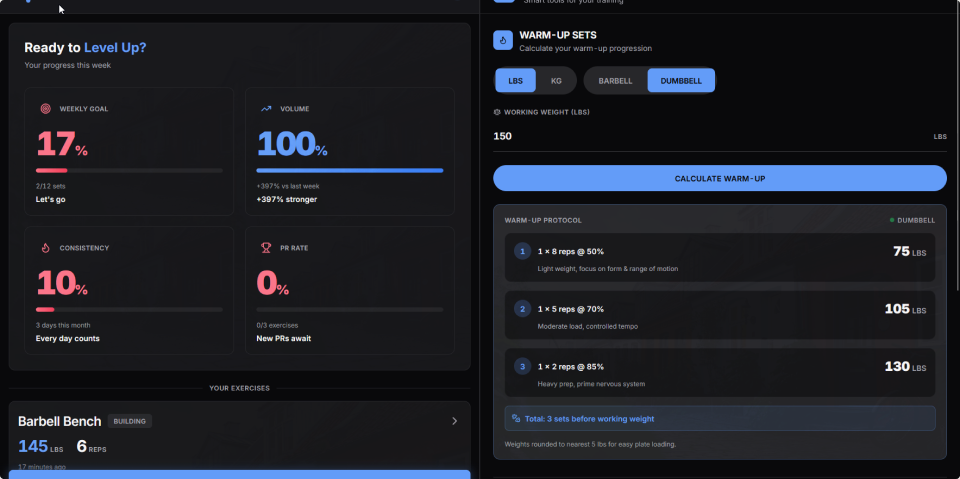
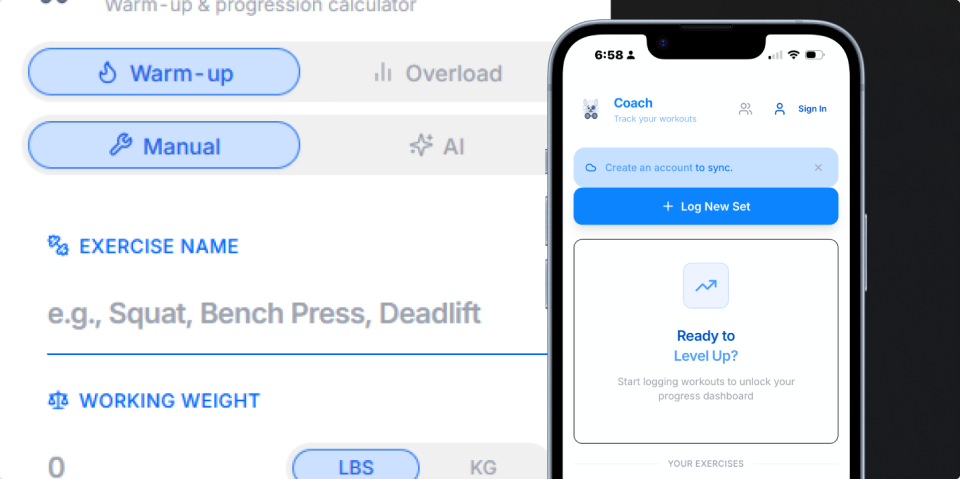
New lifters know they need to train progressively, but most apps either overwhelm them with logging or give nothing beyond a timer. Coach started as a fast build in Lovable to test the concept, and it worked well enough to prove the idea, but the early screens showed what moving fast costs: dashboards packed with more data than a lifter needed mid-set, UI elements crowded together with no breathing room, and a mobile view that barely held up on an actual phone. That first pass validated the concept but made it clear the interface needed a real design process behind it, not just more features.
Problem
Existing apps track your lifts. None of them teach you how to lift.
No direction for new lifters. Knowing what to log doesn't help if you don't know how to train.
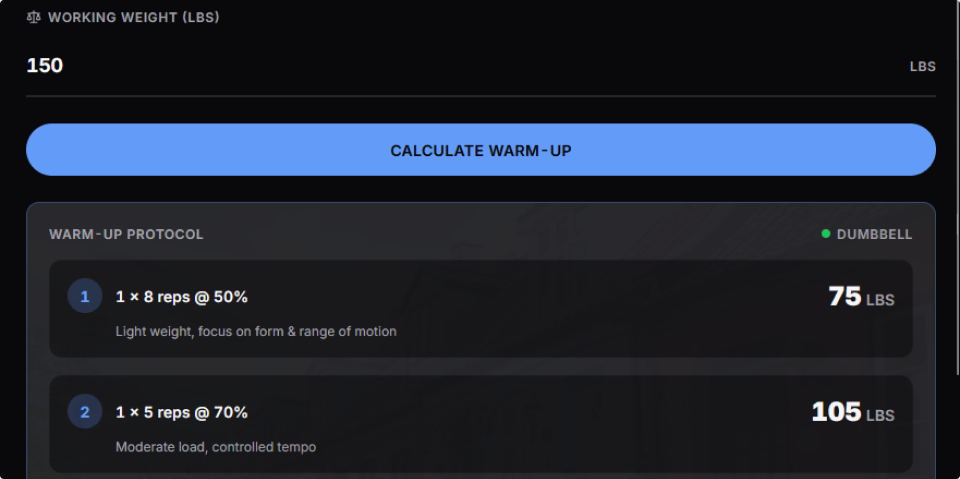
Warm-ups were an afterthought. The few tools that existed felt outdated and disconnected from the rest of your workout.
Progress locked behind paywalls. Structured training was out of reach for people just starting out.
Solution
A calculator that thinks like a coach
Coach replaces guesswork with a structured workflow: AI-calculated warm-up sets prepare your nervous system before heavy lifts, double progression logic tells you exactly when to add weight, and the whole system is designed around how beginners actually build strength, not how advanced lifters track it.
Design Decision
The gym isn't a desk job
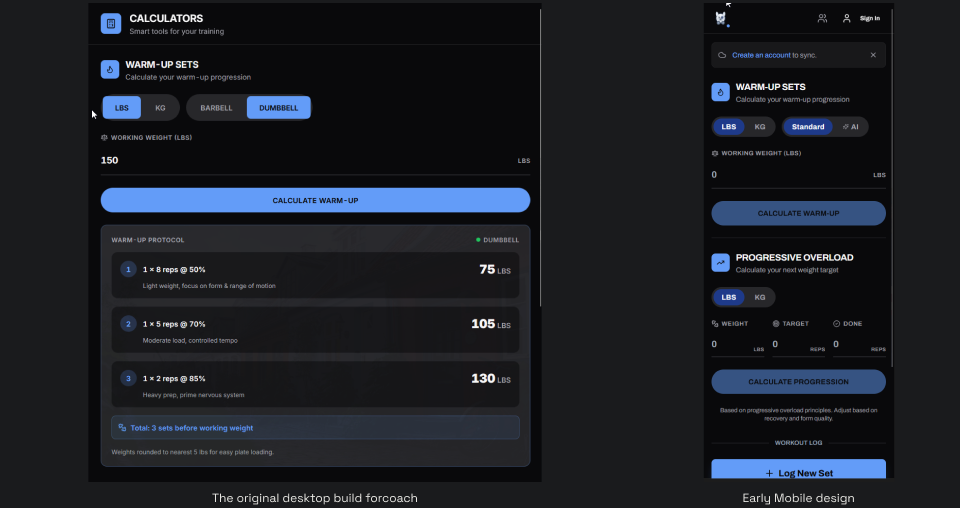
Tried: the first build was desktop-only, a clean dashboard-style layout for logging sets and viewing progress.
Result: clean enough, but wrong context. Every user would be standing at a squat rack holding their phone, not sitting at a desk.
Fix: rebuilt mobile-first, so the core logging and calculator flows work one-handed, standing up, mid-session.
Design Decision
Warm-up sets calculated before you touch the bar
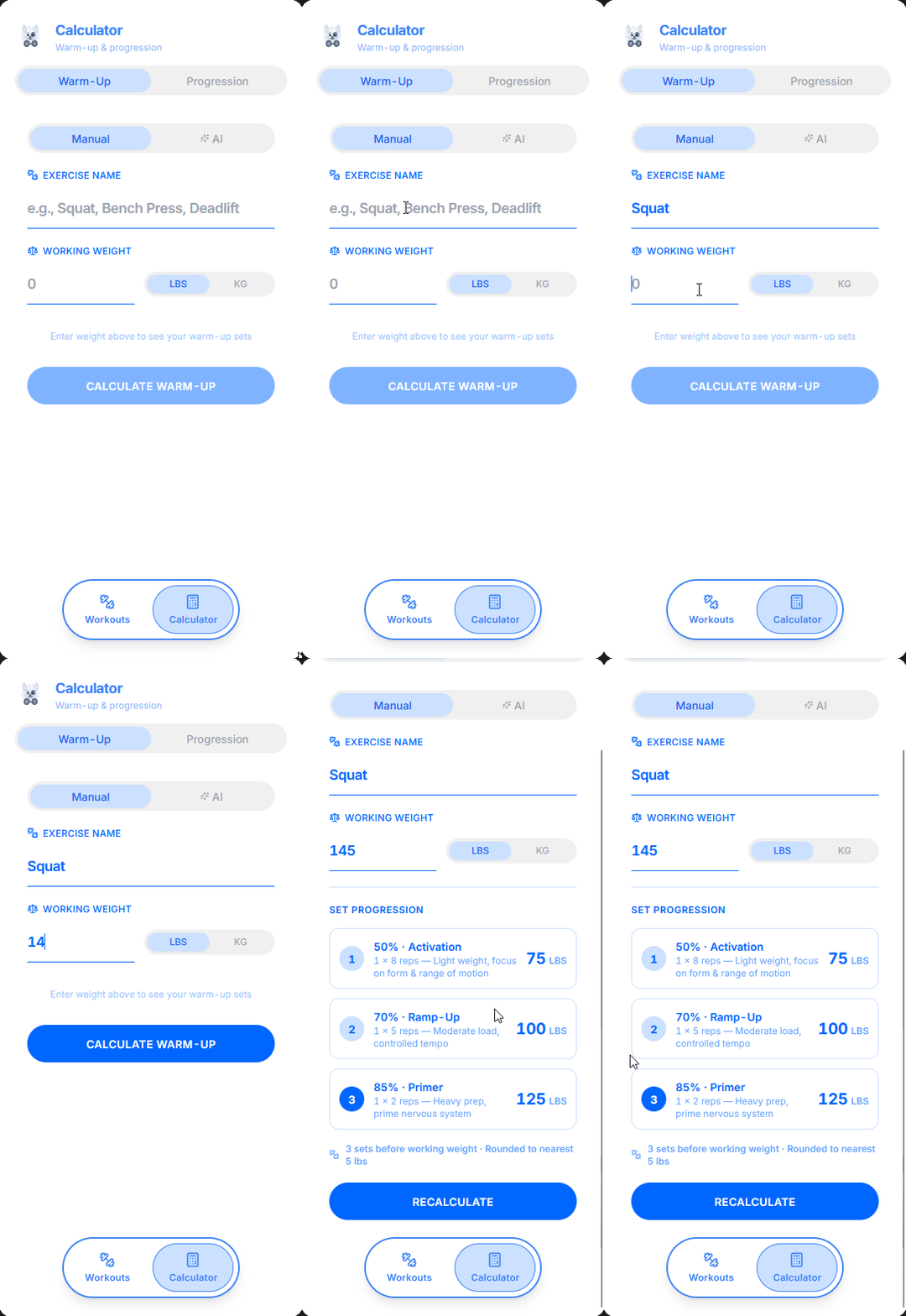
Generates exact warm-up sets at 50%, 75%, and 85% of working weight automatically, each stage building toward the working set.
Manual/AI toggle keeps both modes on one screen, so lifters can switch without losing their inputs mid-session.
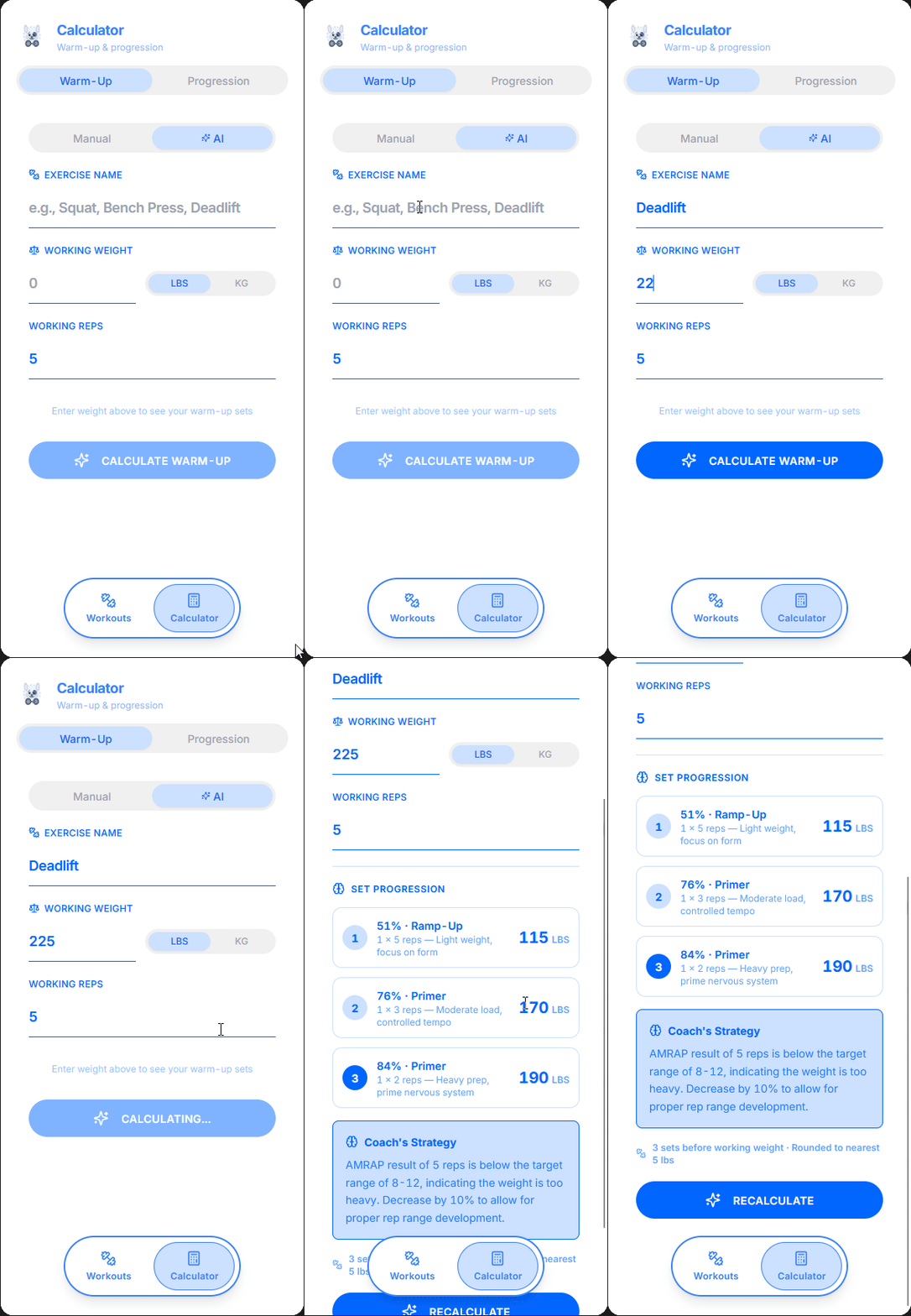
AI mode reads what actually happened in your last set, weight and reps completed, and recommends increase, hold, or decrease.
Coach's Strategy card surfaces that reasoning inline, so beginners build intuition over time instead of dependence on the app.
Design Decision
Knowing your warm-up weight is only half the equation
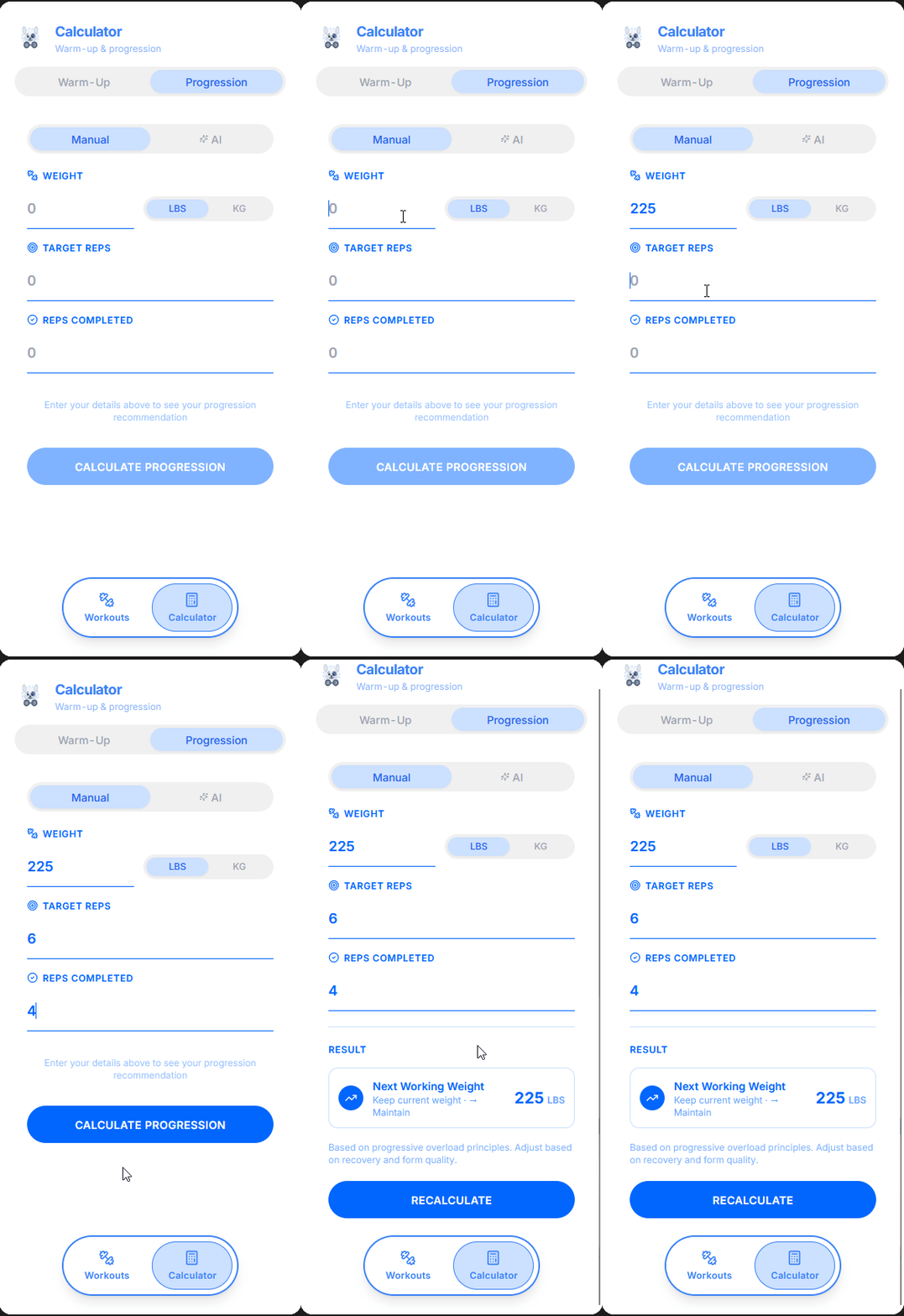
Most beginners track their lifts but have no framework for knowing when to push heavier or when to pull back.
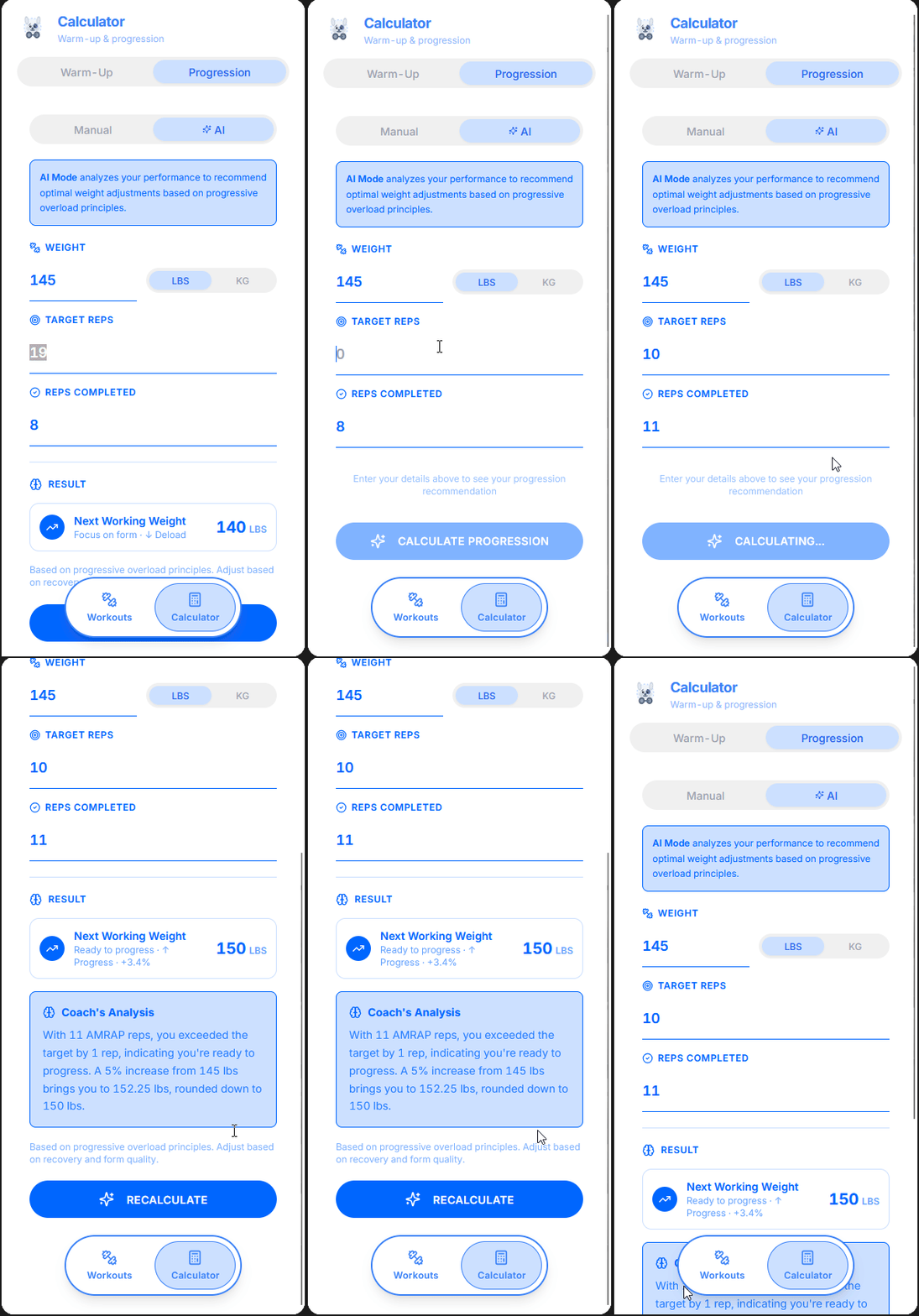
Progression uses the same pill-tab pattern as the warm-up calculator, so switching between tools doesn't mean relearning the app.
A new lifter who hits 11 reps on an 8-rep target has no instinct for what that means next week, logging data alone doesn't give direction.
AI mode translates weight, target reps, and reps completed into a clear next working weight, with the reasoning shown inline.
What's next
Building the social layer
Losing months of logged progress because you switched phones or cleared your browser would kill the habit entirely. Account creation syncs workout history to a database so users never start from zero. A friends layer builds on top of that, adding social accountability as a second reason to stay consistent.
What's next
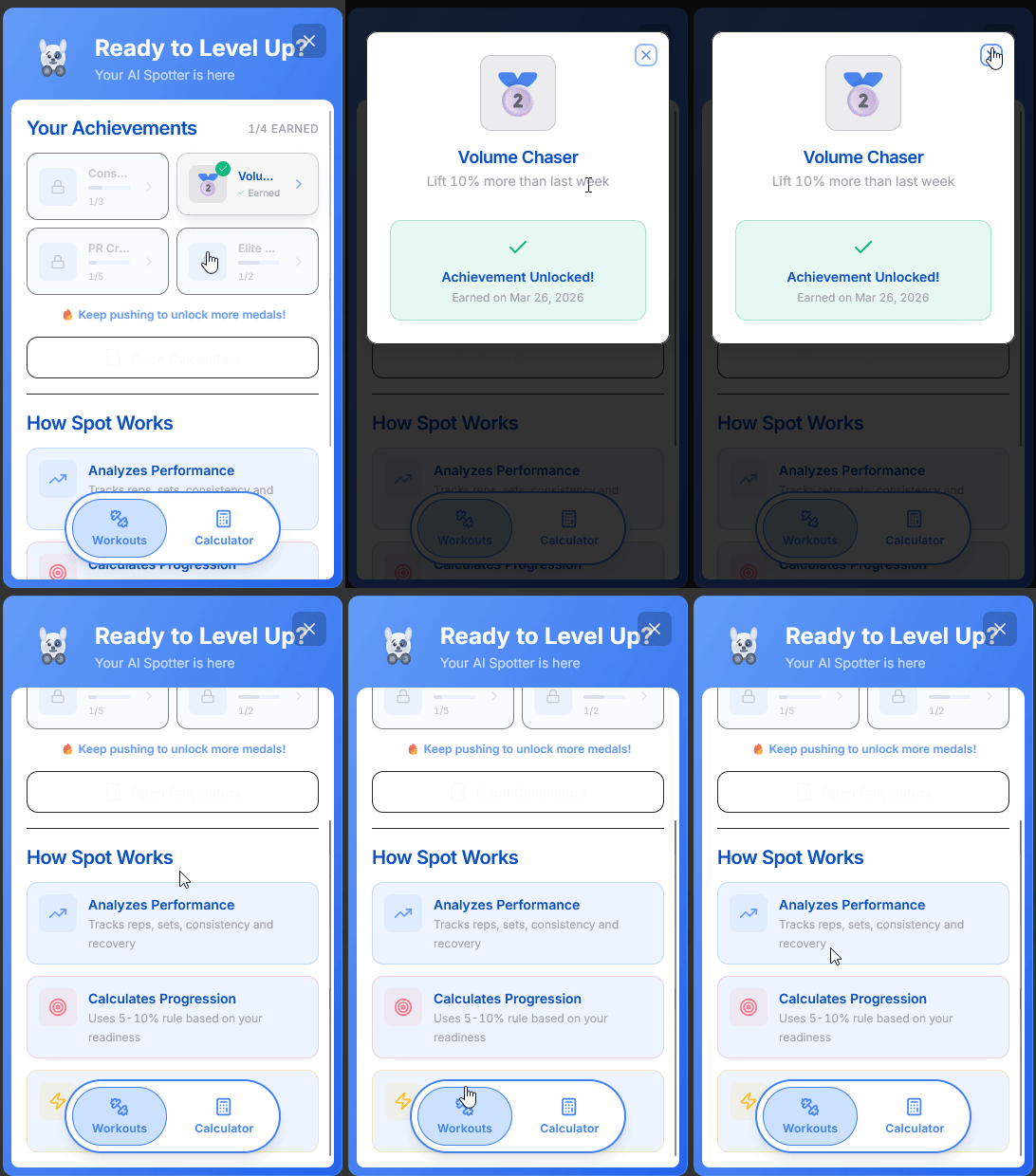
Medals borrowed from competitive games
Weight progression is slow, a beginner might train for weeks before their numbers move meaningfully, which is exactly when most people quit. Medals add a second progression track that rewards consistency over performance, so users feel advancement even when the plates aren't moving. Borrowed from ranked systems in competitive games, where visible milestones keep players returning regardless of skill level.
Outcome
What shipped
Coach shipped with four core features: workout logging, warm-up calculator, progression calculator, and account creation. The database is currently inactive, but the app is live and functional at coachtest.vercel.app.
Outcome
Try it live
Coach is live and functional. Try the warm-up and progression calculators yourself, right here.
Outcome
Looking back
I'd define the core feature set before writing a line of code. Design decisions that came from mid-build user feedback led to better features, but also extended the timeline. The lesson: validate the feature list early, then build with constraints.